
Custom Laser Engraved Promotional Items: 2026 Guide
Table of Contents
- Why Laser Engraved Promotional Items Outperform Printed Giveaways
- Best Custom Promotional Items for Trade Shows
- Laser Engraving vs Screen Printing for Branding
- High-End Promotional Products for Startups
- Materials That Work Best for Custom Laser Engraved Promotional Items
- How to Prepare Design Files for Engraving
- Bulk Order Pricing Factors and Production Lead Times
- Maximizing ROI on Engraved Promotional Merchandise
- Caring for Engraved Items So They Last
- Frequently Asked Questions
Last Updated: October 1, 2026
Why Laser Engraved Promotional Items Outperform Printed Giveaways
Custom laser engraved promotional items are branded products marked with a permanent, high-precision logo or design using a focused laser beam, and they consistently outperform printed giveaways because the marking never fades, peels, or washes off.
The math behind that difference is simple. Every time a recipient uses your item, your brand gets a free impression. Printed giveaways lose that impression the moment the ink cracks or the sticker lifts. Engraved pieces keep working because the mark is cut into the material itself, not applied on top of it.
Below, we break down which items work best and how to prepare files so your order moves fast.
Best Custom Promotional Items for Trade Shows
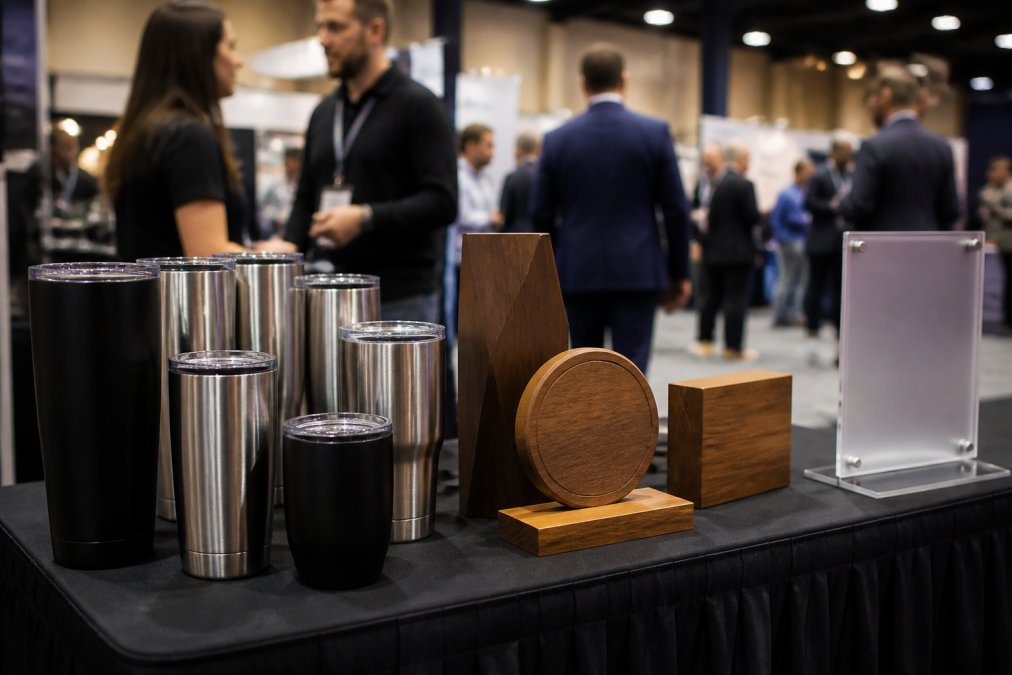
The best custom promotional items for trade shows are items people actually keep and use daily: drinkware, awards, and desk accessories with a permanent brand mark. These pieces earn repeat exposure long after the booth comes down.
Engraved Tumblers and Drinkware
Engraved tumblers are the workhorse of trade show giveaways. Stainless steel and powder-coated finishes hold a crisp mark, and recipients carry them into offices, gyms, and cars for years. A common mistake is choosing a glossy finish that shows fingerprints; matte powder coat hides wear and photographs better at the booth.
Awards, Plaques, and Recognition Pieces
Awards and plaques serve a different job: client appreciation and internal recognition. Wood, acrylic, and metal plaques suit corporate milestones, service anniversaries, and sales awards. Unlike a giveaway, these pieces sit on a shelf where clients and visitors see them, which extends the branding value well past the event.
Laser Engraving vs Screen Printing for Branding
Laser engraving removes or alters material to create a permanent mark, while screen printing lays ink on the surface, and that difference decides how long your brand survives daily use. For promotional products, permanence usually wins.
Here is how the two methods compare on the factors that matter for branded merchandise:
| Factor | Laser Engraving | Screen Printing |
|---|---|---|
| Durability | Permanent, won't fade | Can crack or peel |
| Best materials | Wood, metal, acrylic, leather | Fabric, plastics, paper |
| Setup cost | Varies by project | Higher per-color setup |
| Color range | Single-tone, material-based | Full color options |
| Best for | High-end corporate gifts | High-volume fabric items |
Screen printing still makes sense for fabric-heavy giveaways like t-shirts in large runs. For drinkware, awards, and hard goods, engraving precision and permanence give it the edge.
High-End Promotional Products for Startups
High-end promotional products for startups are premium items reserved for investors, key clients, and partner meetings. Startups often benefit from small batches that signal quality.
Good candidates include engraved metal pens, leather portfolios, and custom signage for a booth or office. A startup pitching at a convention can hand a prospective partner an engraved piece that feels considered rather than mass-produced.
A startup with a limited budget may be better served by fewer, better pieces that match its brand identity. Bulk production can come later, once the brand mark and the audience are settled.
Materials That Work Best for Custom Laser Engraved Promotional Items
Material compatibility decides how sharp your mark looks and how long it lasts, so match the material to the item's daily use. Not every product engraves cleanly, and choosing wrong wastes a bulk order.
Wood, Bamboo, and Eco-Friendly Options
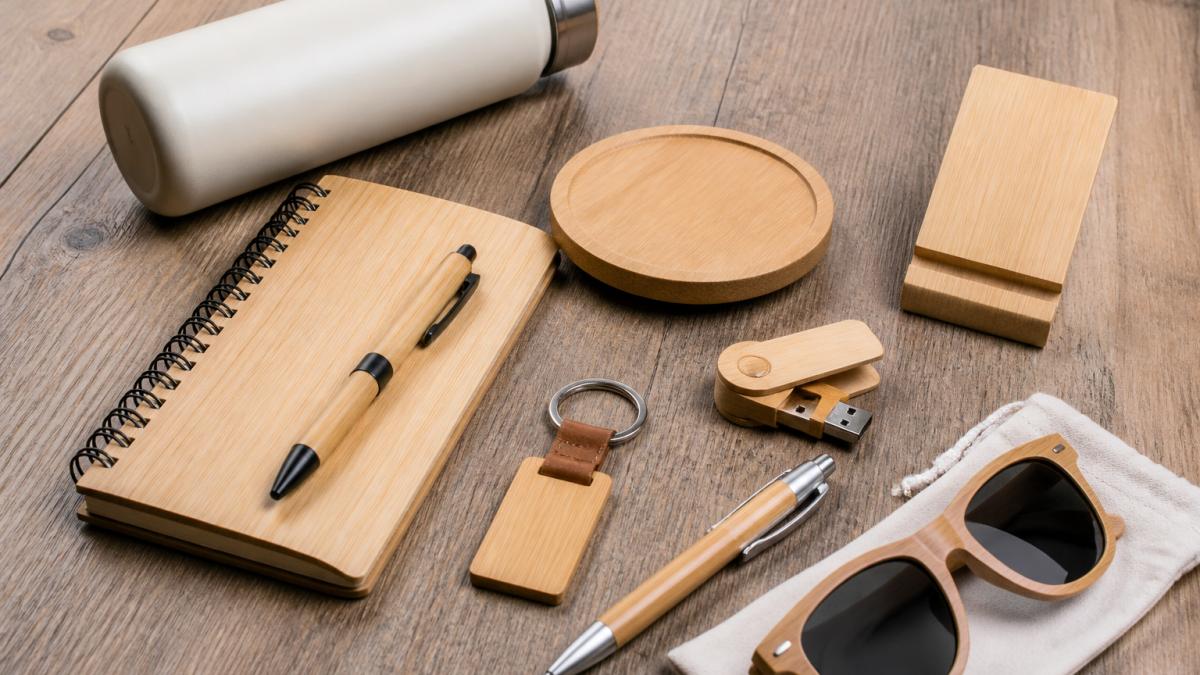
Wood and bamboo engrave with a warm, high-contrast mark that suits sustainability-focused brands. These materials appeal to buyers who care about eco-friendly merchandise, and the natural grain makes each piece slightly unique. Bamboo cutting boards, wooden coasters, and desk organizers are strong choices for client appreciation gifts.
Metals, Acrylics, and Leather
Stainless steel and anodized aluminum take a crisp, permanent mark that resists corrosion and daily handling. Acrylics engrave with a frosted look that works well for custom signage and awards. Leather engraves with a burnished tone that suits portfolios and luggage tags. For metals that need a deep, colored mark, MOPA laser engraving produces finer detail than standard fiber lasers.
How to Prepare Design Files for Engraving
The right file format prevents delays and rework, so prepare vector files before you request a quote. Vector files scale cleanly and give the engraver precise paths to follow.
Vector vs. Raster: The Core Distinction
Vector files describe shapes with mathematical paths, points, lines, and curves, so they scale to any size without losing edge quality. Raster files describe an image as a grid of pixels, and that grid is fixed at the moment the file is created. When an engraver opens a raster logo and scales it up to fit a tumbler, the software has to guess at the missing detail, which produces jagged or fuzzy edges.
For laser engraving, vector paths are what the machine follows to cut or mark outlines. Raster data is used for photo-style engraving, where the laser varies power across a grid of dots to create shading. Both have a place, but they are not interchangeable. A logo with clean lines and text should almost always be a vector. A portrait or detailed illustration may be raster.
Resolution and DPI: What Actually Matters
Raster images are measured in dots per inch (DPI). A common pattern in engraving shops is to request raster artwork at 300 DPI or higher at the final engraved size. A file that is 300 DPI at two inches wide is not 300 DPI when scaled to eight inches, the effective resolution drops to roughly 75 DPI, which will look soft or pixelated on the finished piece. This is why sending a small web image and asking the shop to "make it bigger" rarely works.
Vector files do not have a DPI because they are not pixel-based. If your artwork is vector, resolution is not a concern; the engraver can scale it to any size the material allows. This is the single biggest reason vector files are preferred for logos, text, and line art.
File Formats That Work
The formats most engraving shops accept without conversion:
Upload your STL file for an instant quote →
- SVG, open standard, widely supported, ideal for logos and line art
- AI, Adobe Illustrator native, common in design workflows
- EPS, older but still widely accepted vector format
- PDF, can contain vector or raster data; confirm which before sending
- DXF, used in some CAD and signage workflows
Formats that usually fail: JPEG, PNG, GIF, and screenshots. These are raster by nature, and a JPEG logo that looks fine on a screen will engrave with jagged edges. If your only file is a photo or a screenshot, expect a redraw before production, which adds time and cost.
A Practical Prep Checklist
- Convert all text to outlines or curves so fonts render correctly on the engraver's system
- Use vector files (SVG, AI, EPS, or PDF) instead of low-resolution images
- Keep line weights thick enough to engrave without breaking up, very thin strokes can disappear on some materials
- Supply a single-color or high-contrast version of your logo
- Note the exact size and placement on each product
- Include a mockup or reference photo when placement matters
- For raster artwork, confirm the file is at least 300 DPI at the final engraved size
Material-Specific File Notes
Different materials reward different file preparation. On wood and bamboo, fine detail can burn away or blur because the grain varies, so slightly heavier lines hold better. On stainless steel and anodized aluminum, fine lines and small text hold crisply, which means a detailed vector logo often engraves well. On acrylic, thin lines can produce a frosted look that reads differently than on metal, so a test on scrap is worth the time. On leather, the burnished mark tends to spread slightly, so very fine text may need to be enlarged.
The takeaway is that the same file can behave differently across materials. If your order spans multiple materials, ask your provider to confirm the file works for each one before the bulk run.
Vector files are the single biggest factor in a fast, clean engraving job. Fix the file before you order, not after, and if you only have a raster image, budget time for a redraw.
Bulk Order Pricing Factors and Production Lead Times
Pricing for custom laser engraved promotional items depends on quantity, material, engraving size, and delivery date, so there is no single flat rate. The honest answer to "what will this cost" is that it varies with your specifications.
What Drives the Per-Unit Price
- Quantity: larger runs lower the per-unit cost because setup, file preparation, and machine calibration are spread across more pieces. The first unit carries most of the fixed cost; units two through five hundred carry mostly material and machine time.
- Material: metal and leather cost more than wood or acrylic. Stainless steel and anodized aluminum are priced higher than bamboo or cast acrylic, and specialty finishes add more.
- Engraving area: larger or multi-location marks take more machine time. A logo on one side of a tumbler is faster than a logo plus a name plus a date on both sides.
- Finishing: polishing, coating, or individual packaging adds steps and labor. Gift boxes, tissue, and custom inserts are common add-ons that raise the per-unit cost.
- Deadline: rush orders compress the schedule and raise cost because the shop has to reshuffle its queue or run overtime.
How Lead Times Are Actually Built
A production timeline is not one block of time; it is a sequence of stages. A typical bulk order moves through:
- Quote and file review, the shop checks your vector file for engraveability and confirms material availability.
- Proof approval, you approve a digital mockup or a physical sample on the actual material. This is the stage where most delays happen, because changes after approval mean rework.
- Material procurement, stock items ship from the shop's inventory; specialty or out-of-stock items add days or weeks.
- Setup and calibration, the laser is dialed in for the specific material and mark depth. This is a one-time cost per design, not per unit.
- Production run, the actual engraving, which scales with quantity and mark complexity.
- Post-processing and QC, cleaning, polishing, packaging, and a quality check before shipping.
- Shipping, transit time to your event or office.
Simple single-location marks on stock items move fastest because stages three and six are short. Complex multi-material pieces with post-processing take longer because every stage adds time. If you are on a tight trade show deadline, confirm the timeline before you commit to a design that needs extra finishing, and build in a buffer for proof approval.
A Note on Rush Orders
Rush orders are possible but they trade cost for speed. The shop may run your job outside normal hours, expedite material, or bump another job. The earlier you can lock your file and approve the proof, the less you pay for speed.
Getting an Accurate Quote
To get a quote that holds, provide the item, the material, the quantity, the engraving size and placement, and your deadline. If you have a vector file ready, the quote is faster and more accurate. If you only have a raster image, ask whether a redraw is needed and whether that adds to the timeline.
For current pricing, upload your STL file for an instant quote or contact Alex 3D Print Us LLC directly. We keep turnaround fast and support projects of any complexity.
Maximizing ROI on Engraved Promotional Merchandise
ROI on promotional merchandise comes down to cost per lasting impression, not cost per unit, so an item that gets used for years can offer more value than a cheaper one that gets tossed. Durability can be a key factor in budget effectiveness.
Three ways to protect your return:
- Match the item to the audience. Give premium pieces to high-value contacts and simpler items to general booth traffic.
- Choose permanent marking. A mark that survives daily use keeps earning impressions long after the event.
- Order in the right batch size. Small batches test a design; bulk production lowers unit cost once the design is proven.
Engraved items can also reduce replacement spend. The branding can hold, which is why some teams consider shifting budget from printed giveaways to engraved merchandise.
Caring for Engraved Items So They Last
Engraved items last for years with basic care, which is exactly why they hold their branding value. The mark itself is durable; the surrounding finish is what needs attention.
For metal and acrylic, wipe with a soft cloth and mild soap, and avoid abrasive pads that scratch the surface. Wood and bamboo should stay out of prolonged soaking and be dried after cleaning. Leather benefits from occasional conditioning to keep the engraved area from drying out. Hand-washing drinkware protects both the finish and the mark.
A common mistake is running engraved tumblers through a dishwasher on a high-heat cycle. The mark survives, but the coating around it can dull. A few seconds of hand-washing keeps the piece looking new.
Frequently Asked Questions
What are the most effective laser engraved promotional items for trade shows?
Engraved tumblers, metal pens, wooden awards, leather portfolios, and acrylic signage consistently perform well because the permanent marking survives daily use. Items people keep on their desks or carry daily generate repeated brand impressions long after the event. Choose pieces that match your audience's routine: drinkware for general attendees, awards and plaques for VIPs or partners, and functional tools like multi-tools or USB drives for technical buyers.
Why choose laser engraving over screen printing for promotional products?
Laser engraving cuts or etches the surface itself, so the brand mark never peels, fades, or washes off. Screen printing applies ink on top, which can crack after repeated handling or dishwasher cycles. For high-end corporate gifts and items meant to last years, engraving delivers a premium look and permanent marking. Screen printing still works well for large flat surfaces and very tight budgets on high-quantity giveaways.
What materials are best suited for high-quality laser engraving?
Wood, bamboo, anodized aluminum, stainless steel, leather, glass, and acrylic all engrave cleanly with strong contrast. Metals typically need a MOPA or fiber laser for crisp marks, while CO2 lasers handle wood, acrylic, glass, and leather. Avoid PVC and vinyl because they release harmful fumes. Test your specific material and finish before committing to a bulk run, since coatings and dyes affect engraving depth and color.
How can startups use custom engraving to increase brand recognition?
Startups get the most traction by choosing a small set of high-use items, engraving them consistently, and handing them to the right people. A branded tumbler at a pitch event or a custom nameplate in a partner's office puts your logo in front of decision-makers repeatedly. Ordering in small batches keeps cash flow manageable, and scaling up later is straightforward once you know which items your audience actually keeps.
Trade show and convention deadlines rarely leave room for a slow vendor or a file that needs rework. Alex 3D Print Us LLC handles the full job, from engineering and design through Bambu Lab multi-color 3D printing and MOPA laser engraving, so your branded pieces arrive ready for the booth. Upload your STL file for an instant quote and get your custom promotional items produced with fast turnaround and support for any complexity.