
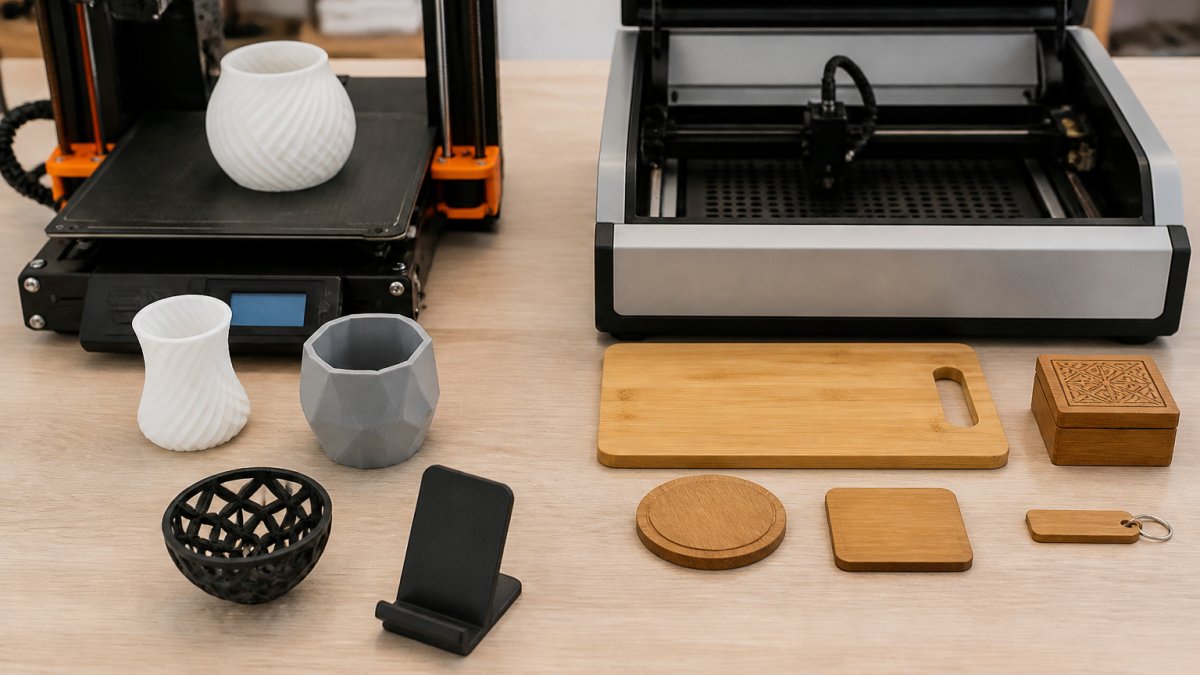
3D Printing vs Laser Engraving for Branding
Table of Contents
- How 3D Printing and Laser Engraving Create Branded Products
- Key Differences: Additive Manufacturing vs Surface Marking
- Laser Engraving Promotional Products: Speed and Precision
- Custom 3D-Printed Promotional Items for Complex Designs
- Can You Laser Engrave 3D Prints? Material Compatibility
- Best Materials for Laser Engraving Branded Products
- Which Technology Wins for Your Branding Project
- Frequently Asked Questions
Last Updated: October 16, 2026
How 3D Printing and Laser Engraving Create Branded Products
3d printing vs laser engraving for branding represents two fundamentally different approaches. One builds objects layer by layer; the other marks surfaces with focused light. Both create branded products, but they solve different problems.
At Alex 3D Print Us LLC, we work with both daily. This guide breaks down the differences so you can decide which technology, or combination, fits your project.
The choice affects cost, timeline, design complexity, and final quality, a trade show giveaway differs from custom nameplates or complex branded components.
Key Differences: Additive Manufacturing vs Surface Marking
Additive manufacturing and surface marking are opposite approaches. One creates physical form. The other decorates existing form.
3D printing deposits material in successive layers, building the object from nothing. It excels at custom shapes, internal structures, multi-color designs, and complex geometries impossible any other way.
Laser engraving vaporizes a thin surface layer on existing material, creating a permanent mark while the material stays intact. It is fast, precise, and ideal for consistent branding across identical items.
The difference affects material options, design complexity, production speed, cost per unit, and mark durability. A 3D-printed item is a complete custom object; a laser-engraved one is a standard product with your brand added.
Laser Engraving Promotional Products: Speed and Precision
Laser engraving promotional products is fast because you mark finished goods rather than manufacturing from scratch, blanks can be engraved within days, sometimes hours.
Laser systems reproduce fine detail, small text, and complex graphics consistently across hundreds or thousands of units. The mark is permanent and won't fade, chip, or wear under normal use, ideal for corporate gifts, awards, and trade show items.
Laser engraving works on most materials: wood, acrylic, leather, anodized aluminum, plastic, stone, glass, and fabric. It creates contrast through color change or depth, lighter marks on dark materials, darker on light.
The limitation: you can only mark existing products, no changing shape, creating internal features, or building complex 3D forms.
Laser engraving is cost-effective for batches of 10 to 10,000+ units; per-unit cost drops as volume rises because setup time is minimal. For runs of 5 or fewer, setup overhead can make per-unit cost high.
Custom 3D-Printed Promotional Items for Complex Designs
Custom 3D-printed promotional items solve a different problem: branded products with shapes, internal structures, or multi-material designs that traditional manufacturing or surface marking can't achieve.
3D printing lets you design custom geometry: branded items unique to your company, shapes reflecting your brand identity, logos integrated into the structure, or components with functional internal features.
Multi-color 3D printing, such as Bambu Lab multi-color printing, produces promotional items with embedded colors, gradients, and complex visual designs without post-processing, brand colors built in.
3D printing requires design files in the correct format (STL is standard).
Design complexity is where 3D printing shines: intricate designs, fine details, and custom geometry are all possible.
Can You Laser Engrave 3D Prints? Material Compatibility
Yes, but the answer is material-specific, and some 3D-printing materials should never go under a laser at all.
The safety rule comes first. Laser processing vaporizes material, and the fumes are the hazard. Never laser-process these:
- PVC and vinyl, release hydrogen chloride gas, which is corrosive to the machine and toxic to breathe.
- Polycarbonate, can release bisphenol-A and other irritants; marking results are also inconsistent.
- ABS, technically markable, but it melts rather than ablates, produces styrene fumes, and rarely gives a clean edge. Treat it as a last resort and ventilate aggressively.
- Any material containing brominated flame retardants, decomposition products are hazardous.
- Fiberglass-filled or carbon-fiber-filled filaments, the laser cannot cleanly cut the reinforcement, and the dust is a respiratory hazard.
If unsure what a filament contains, check the safety data sheet first. When in doubt, do not mark it.
Materials that mark well:
- PLA, the most predictable 3D-printing material for laser marking. It ablates cleanly, holds fine detail, and produces a consistent contrast mark. This is the default choice for branded 3D-printed parts that will be laser marked.
- PETG, marks acceptably with tuned settings. It is more heat-resistant than PLA, so it tolerates slightly higher power, but it can string or smear if the settings are too hot.
- Nylon (PA, PA12), marks with a dark, slightly diffuse result. Good for functional parts where legibility matters more than cosmetic crispness.
- Resin prints (SLA/DLP), results vary widely by formulation. Some resins mark cleanly; others char or produce ragged edges. Always test a coupon from the exact resin batch before committing a production run.
- Metal 3D prints (DMLS/SLM), respond well to laser marking, and MOPA fiber lasers produce high-contrast marks on stainless steel, aluminum, and titanium without damaging the surface. This is the route for branded metal components and high-end promotional items.
Why settings matter more on printed parts than on sheet stock. A 3D-printed part is not homogeneous: it has layer lines, infill density variations, and a top surface that may be ironed, matte, or glossy. Two consequences:
Upload your STL file for an instant quote →
- Focus height changes with surface texture. A glossy top layer reflects more energy than a matte one, so the same power setting can produce a lighter mark. Set focus on the actual surface, not on a nominal Z height.
- Infill shows through on thin walls. If the wall is thin and the infill is sparse, a hot laser pass can telegraph the infill pattern into the mark. Increase wall count on parts that will be laser marked.
A repeatable test protocol. Before any branded production run, print a test coupon in the exact material and color, run a power/speed grid on it, and keep it as a reference. Match production settings to the approved coupon for batch-to-batch consistency.
Design for marking, not just for printing. The cheapest way to guarantee a good laser mark on a 3D-printed part is to design the part for it:
- Add a flat, matte marking zone where the logo will go. Flat beats curved for legibility.
- Give the marking zone a solid backing, enough perimeters that the laser does not punch through to infill.
- Leave a small margin around the mark so heat does not distort adjacent features.
- Choose a filament color that contrasts with the intended mark. Dark filament generally marks lighter; light filament generally marks darker.
Shops that do this well standardize on one or two laser-friendly print materials for branded work, usually PLA for plastic parts and a MOPA-marked metal for premium pieces, and refuse jobs requiring incompatible materials.
Best Materials for Laser Engraving Branded Products
Material choice determines mark quality, durability, and appearance.
Wood is a classic choice.
Acrylic produces a frosted or white mark on colored acrylic with sharp edges and fine detail. Engravings are durable and won't degrade.
Anodized aluminum marks beautifully: the laser removes the anodized layer, revealing bare metal beneath.
Leather accepts laser engraving well, creating a dark, permanent mark that adds a premium feel.
Fabric can be engraved with specialized laser systems, creating permanent marks that survive washing, useful for branded apparel, bags, and textiles.
The best material depends on your brand aesthetic, durability requirements, and budget. Wood and anodized aluminum are versatile; acrylic and leather signal premium quality.
Which Technology Wins for Your Branding Project
The right process is determined by the brand mark you want, not the machine you own. Name the mark, then work backward.
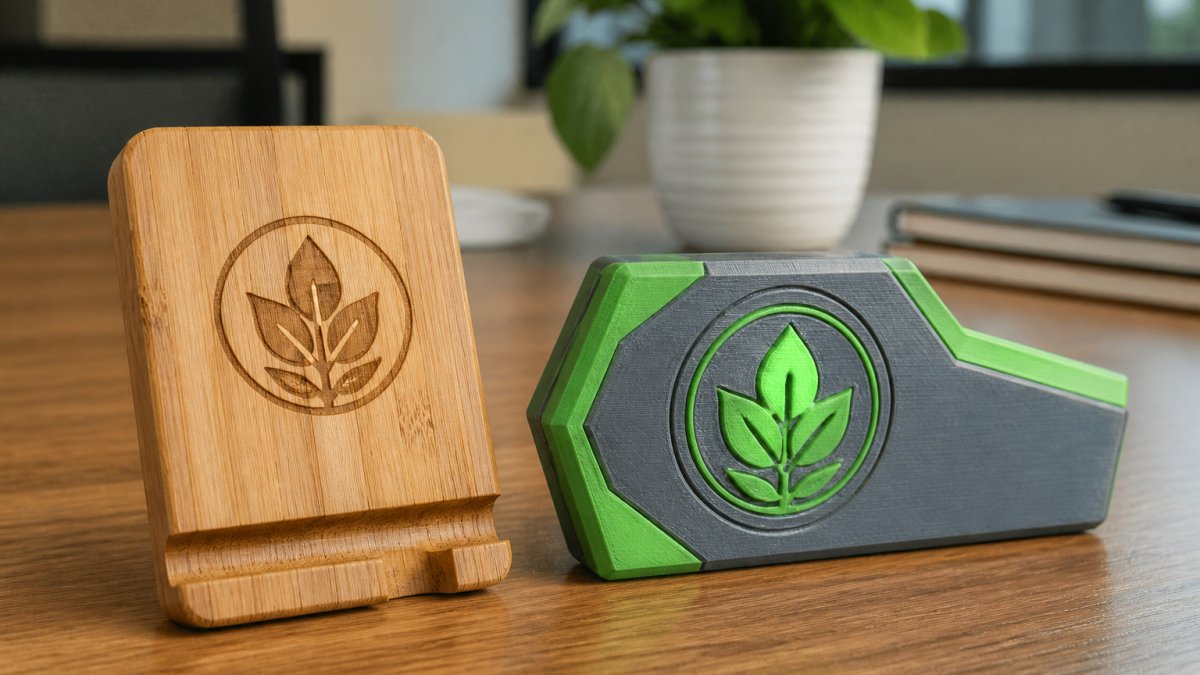
Step 1: Define the mark type. Brand marks fall into four practical categories, each pointing to a different process:
- Raised logo (mark sits above the surface): 3D printing, either printed into the part or printed as a separate badge and bonded on. Laser engraving cannot raise material.
- Recessed mark (engraved or debossed into the surface): laser engraving on a finished blank, or laser engraving on a 3D-printed part after printing.
- Surface graphic (flat color, multi-color, or photographic): multi-color 3D printing, UV laser marking on compatible plastics, or a printed insert captured inside a 3D-printed part.
- Through-part feature (cutout, window, or negative space forming the logo): 3D printing, or laser cutting if the part is flat sheet stock.
Step 3: Check repeatability requirements. Brand marks live or die on batch consistency.
Step 4: Compare the cost structure, not just the unit price. The two processes fail at opposite ends of the volume curve:
- Laser engraving: low setup, near-zero tooling, per-unit cost that is mostly machine time plus the cost of the blank. It is economical from roughly 10 units upward and gets cheaper per unit as volume climbs. The blank is the dominant cost at high volume.
- 3D printing: no tooling and no minimum order, but per-unit cost is dominated by machine time and material. It is economical for one-offs and small batches, and it becomes expensive fast as volume rises because every unit consumes the same machine hours.
- Combined workflow: 3D print the custom form, then laser mark it. You pay both costs, but you get a mark that neither process delivers alone, a custom object with a crisp, repeatable brand mark on it.
A useful rule of thumb: if the blank exists and the mark is the only customization, laser engrave. If the object itself is the customization, 3D print.
Step 5: Decide by branding goal.
| Branding goal | Best process | Why |
|---|---|---|
| Corporate awards and recognition pieces | Laser engraving on wood, acrylic, or anodized aluminum | Permanent, high-contrast, consistent across a run |
| Trade show giveaways at volume | Laser engraving on purchased blanks | Lowest per-unit cost at 100+ units |
| Custom-shaped promotional items | 3D printing | Shape is the differentiator |
| Multi-color logo on a custom form | 3D printing, or 3D print plus UV laser mark | Color and geometry in one part |
| Branded functional components | 3D printing, with laser marking for serials or logos | Internal features plus a durable mark |
| Prototypes and one-offs | 3D printing | No tooling, no minimum |
Step 6: Prototype before you commit. Order one unit through each candidate process and compare them side by side under your customer's lighting.
Frequently Asked Questions
Can you laser engrave 3D prints?
Yes, you can laser engrave 3D-printed parts, but material and surface finish matter significantly. PLA, ABS, and resin prints accept laser marks well when the surface is smooth. Rough or porous finishes may produce blurry marks. The laser power and speed must be tuned to your specific plastic to avoid warping or burning. Not all 3D-printed materials are safe to engrave, some release harmful fumes under laser heat, so compatibility testing is essential before production runs.
Which is better for custom promotional products: 3D printing or laser engraving?
It depends on your design and timeline. Laser engraving excels at adding logos, text, and barcodes to existing items quickly, ideal for trade shows and tight deadlines. 3D printing creates fully custom shapes and intricate details from scratch, perfect for branded merchandise that stands out. Many projects benefit from both: 3D print the base product, then laser engrave your logo for maximum impact and brand recognition.
What materials can be laser engraved for branded products?
Wood, acrylic, leather, anodized aluminum, and some plastics are excellent for laser engraving. Each material produces different mark quality and contrast. Wood and acrylic offer high legibility and professional appearance. Anodized aluminum is durable for industrial branding. Avoid PVC and vinyl, they release toxic fumes when engraved. For 3D-printed parts, PLA and resin accept laser marks better than ABS. Always test material compatibility and safety before full production to ensure mark quality and worker safety.
What is the difference between laser marking and laser engraving?
Laser marking creates a surface change (color shift or light burn) without removing material, while laser engraving cuts into the surface to create visible depth. Engraving produces more contrast and durability, ideal for logos and barcodes that must remain legible long-term. Marking is faster and gentler on delicate surfaces. For branded products, engraving typically offers better permanence and brand impact, but marking works well for temporary or lightweight branding applications.
Choosing between 3D printing and laser engraving for branding doesn't have to mean picking just one. The right choice depends on your volume, timeline, design complexity, and budget. Alex 3D Print Us LLC specializes in both technologies, Bambu Lab multi-color printing for custom geometry and xTool UV and MOPA laser engraving for precision marking. Upload your STL file for an instant quote and let us help you create branded products that stand out.