
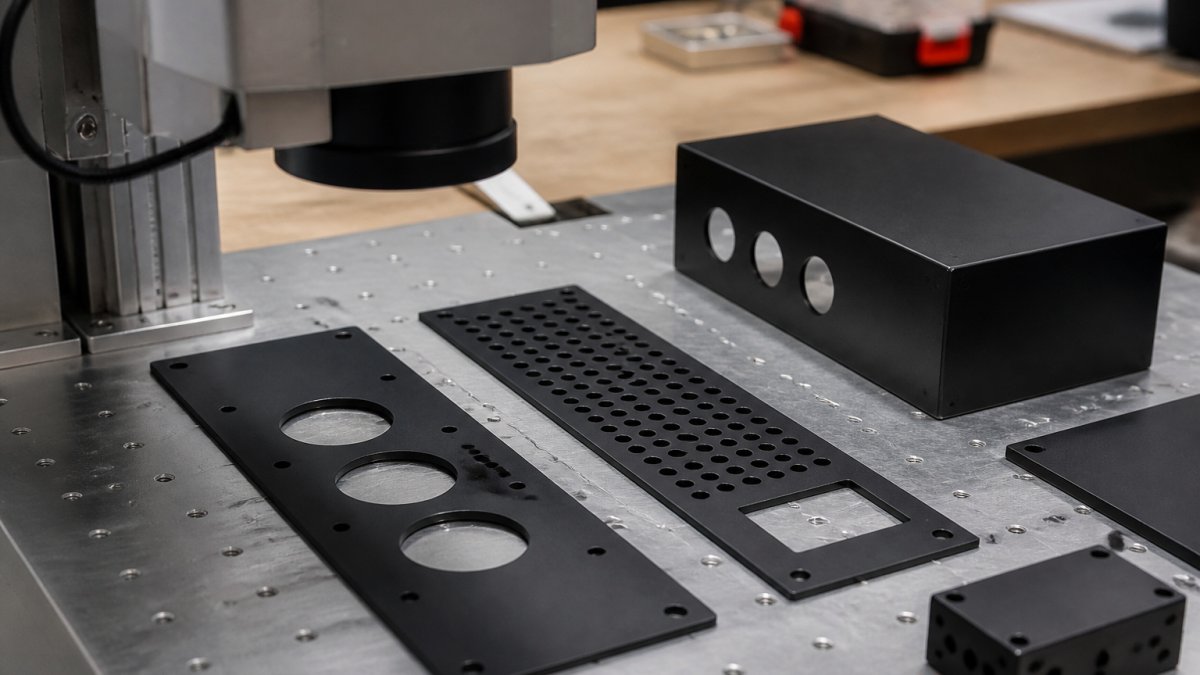
How to Laser Engrave Powder Coated Metal for Branded Parts
Last Updated: October 30, 2026
Quick Summary
Yes, you can laser engrave powder coated metal. The laser burns through the cured powder layer to expose the bare metal underneath, creating a permanent mark with no ink or adhesive. Settings depend on coating thickness, color, and laser type, so test on scrap from the same batch rather than copying presets.
- Start at moderate power and raise it in small steps until the coating clears.
- One pass usually clears a thin coat; thick powder often needs two or three lighter passes.
- Fiber lasers remove coating fast and clean, while MOPA lasers give finer control for detail.
- A diode laser engraves only the coating, not the metal itself, and runs slower.
- Vent fumes outdoors or through a filter and keep a fire extinguisher within reach.
Table of Contents
- Can You Laser Engrave Powder Coated Metal?
- Laser Engraving Powder-Coated Metal Settings That Work
- Choosing the Best Laser for Powder-Coated Metal
- Can a Diode Laser Engrave Powder-Coated Metal?
- Powder Coating Laser Engraving Safety Rules
- Preventing Scorching and Cleaning the Engraved Surface
- Upload Your Design Files for a Custom Engraving Quote
- Frequently Asked Questions
Can You Laser Engrave Powder Coated Metal?
Yes, you can laser engrave powder coated metal, and the process is one of the most reliable ways to brand industrial parts and promotional items.
The key is understanding what you're actually engraving. Powder coated metal is a metal substrate covered in a dry powder that gets baked into a hard shell.
That distinction matters. Coated metal is not the same as bare steel, so the settings need to be tested rather than copied.
Laser Engraving Powder-Coated Metal Settings That Work
Settings for laser engraving powder-coated metal depend on coating thickness, color, and your laser type. There is no universal preset. Start conservative and test on a scrap piece from the same batch.
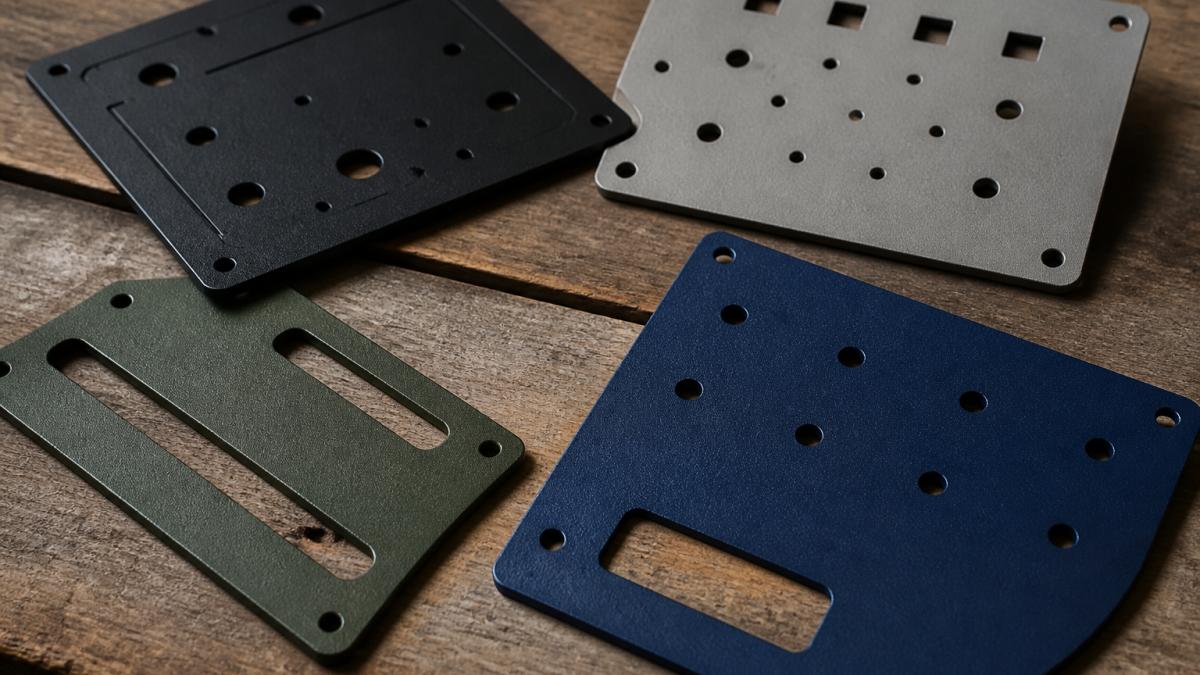
The coating is the variable, not the metal. A thick textured powder needs more energy than a thin smooth coat. Dark colors absorb laser energy better than light ones.
Power, Speed, and Frequency Starting Points
A common approach is to begin at moderate power and adjust from there. Here is a practical starting framework:
- Power: Start low enough to test, then raise in small steps until the coating clears
- Speed: Slower speed means more heat per millimeter, which risks scorching
- Frequency: Higher frequency gives a finer, cleaner edge on most coatings
- Focus: Keep the lens focused on the coating surface, not the metal below
Run a test grid first. Engrave a small square at several power levels on scrap material. Pick the lowest setting that fully removes the coating without burning the edges.
A Software-Driven Test Grid Workflow
Most guides stop at "run a test grid." The part that actually saves material is how you build and read that grid in your laser software. This is the step that determines whether a clean result is achieved.
- Build the grid in your layout software. In LightBurn, draw a row of identical small squares (about 0.25 in / 6 mm) and assign each one a different power value using the Cut/Layers panel. Keep speed and frequency fixed for the first pass so you isolate one variable at a time.
- Label every square. Add a text layer next to each square with the power value so you can read the result without guessing. Engrave the labels at low power so they do not confuse the test.
- Run the grid on the same batch of scrap. Coating thickness varies between suppliers and even between lots, so a grid from last month's stock may not transfer.
- Inspect under raking light. Tilt the part under a bright light. A clean removal shows bare metal with a sharp edge; a scorched square shows a brown halo; an under-powered square shows coating still bonded in the center.
- Narrow, then confirm. Take the two best squares, then run a second grid that varies speed around those two power values. This two-stage approach finds the clean window faster than changing power and speed at once.
How Many Passes to Remove the Coating
One pass usually clears a thin coat. Thick or textured powder often needs two or three lighter passes rather than one heavy pass. Multiple passes with lower power give you control and reduce heat buildup.
A common mistake is cranking power to finish in one pass. That scorches the surrounding coating and leaves a brown halo you can't clean off. Light passes win every time.
Reading the Result: What Each Failure Looks Like
A visual check beats a settings chart because it tells you which direction to adjust:
- Coating still bonded in the center: under-powered or too fast, raise power or slow down in small steps
- Brown halo around the mark: too much heat, lower power, add a pass, or increase speed
- Ragged, uneven edges: focus is off or the coating thickness varies across the part, refocus on the coating surface and check for surface texture
- Bare metal exposed but dull: normal on some coatings; a light wipe with a soft cloth usually restores the contrast
Choosing the Best Laser for Powder-Coated Metal
Fiber or MOPA lasers are generally used for production work on powder-coated metal, while higher-wattage diode lasers are used for light-duty jobs. Fiber lasers cut through coating fast and leave a crisp edge.
Here is how the main options compare:
| Laser Type | Best For | Coating Removal | Notes |
|---|---|---|---|
| Fiber | Production runs | Fast, clean | Best all-around choice |
| MOPA | Fine detail, color control | Precise | Great for logos and text |
| Diode (high power) | Light-duty, hobby | Slower | Works on thin coats |
| CO2 | Not ideal | Poor on metal | Skips bare metal |
MOPA laser engraving is well suited to fine logos and detail on small nameplates. If you would rather not buy equipment, you can see the range of custom 3D printing, laser engraving, glass etching, and UV printing services we offer.
Why the Laser Type Changes the Result
The difference comes down to wavelength and pulse control, not just wattage.
MOPA adds control over pulse duration. Short pulses concentrate energy into a thin layer, which removes coating with less heat bleeding into the surrounding finish.
Diode lasers operate at a different wavelength and lower average power, so they are generally better suited to thin powder layers than to thick or light-colored coatings that reflect more energy.
Upload your STL file for an instant quote →
Matching the Machine to Your Volume and Artwork
- High-volume production with fine detail: MOPA fiber laser, best edge quality and repeatability
- High-volume production with bold marks: standard fiber laser, fastest coating removal per pass
- Low-volume, one-off pieces: high-power diode, lowest equipment cost, accept slower speeds and more passes
- Mixed materials shop: fiber or MOPA, handles coated metal alongside bare metal and some plastics
The Artwork Side of the Decision
Machine choice only solves half the problem. Fine text and detailed logos need vector artwork with clean nodes and consistent line weights, because the laser follows those paths exactly. Preparing vector files correctly is covered in our guide on how to design vector files for laser engraving services.
If you are weighing this process against other branding methods, our breakdown of 3D printing vs laser engraving for branding covers where each one wins.
Can a Diode Laser Engrave Powder-Coated Metal?
A diode laser can engrave powder-coated metal, but only the coating, not the metal itself. Diode lasers lack the power to cut into steel or aluminum.
Diode laser powder-coated metal work has real limits. Expect slower speeds and more passes than a fiber laser. Light-colored coatings may not absorb enough energy, so test first.
Where diodes shine is small shops and one-off pieces. For high-volume runs or thick coatings, a fiber or MOPA machine is the better tool.
Powder Coating Laser Engraving Safety Rules
Powder coating laser engraving safety comes down to three things: fumes, ventilation, and fire risk. The coating is a plastic-based material. Burning it releases smoke you should not breathe.
Fumes, Ventilation, and Fire Risk
Always run an exhaust system or fume extractor near the work area. Keep a fire extinguisher within reach and never leave a job unattended. The OSHA guidance on laser hazards covers control measures for laser work, and the NFPA fire safety standards address combustible dust and ignition risks.
Common practices for laser engraving safety include:
- Vent fumes outdoors or through a filter
- Keep the work area clear of loose powder and dust
- Wear eye protection rated for your laser wavelength
- Let parts cool before handling them
Watch out: fine powder dust near a hot laser beam can ignite. Clean the bed between jobs and never let powder pile up around the machine.
Preventing Scorching and Cleaning the Engraved Surface
Scorching happens when heat spreads past the engraving line into the surrounding coating. The fix is lower power, more passes, and better focus.
After engraving, wipe the surface with a soft cloth. Some coatings leave a light residue around the mark. A gentle solvent on a cloth removes it without dulling the finish.
- Lower the power and add a pass if edges brown
- Refocus the lens on the coating surface
- Clean the lens before each session
- Test on scrap from the same batch every time
The material you're engraving matters too. If you're branding merchandise, our guide on how to select materials for laser engraved merchandise walks through which blanks take a mark best.
Upload Your Design Files for a Custom Engraving Quote
Ready to put your logo on coated metal? The first step is a clean design file. Vector artwork gives the laser sharp edges and consistent line weights.
Once your file is ready, you can upload your STL file for an instant quote for 3D printing and custom fabrication. Pricing depends on quantity, dates, and delivery, so visit our website for current prices or a quote.
Frequently Asked Questions
What type of laser works best on powder-coated metal?
A fiber or MOPA laser gives the cleanest, most consistent results on powder-coated metal because its wavelength is absorbed well by the coating and it can remove the layer without excessive heat. A CO2 laser will not mark bare metal but can strip coating on some pieces. A diode laser works on thinner coatings at slow speeds. For production runs and fine detail, MOPA is the most reliable choice.
Do you engrave powder-coated metal by removing the coating?
Yes. Laser engraving on powder-coated metal removes the coating layer to expose the bare metal underneath, creating contrast between the matte coating and the shiny metal. This is different from annealing, which changes the metal's surface color without removing material. Because you are removing coating, focus, power, and pass count all matter: too much power scorches the edges, too little leaves coating residue in the mark.
Is laser engraving powder-coated metal safe?
It is safe when you control the fumes. Burning powder coating releases smoke and particulates, so run an extraction system or vent outdoors and wear a respirator rated for fumes and particles. Keep a fire extinguisher nearby, never leave the laser unattended, and clean residue from the engraved area with a soft cloth and mild solvent. Check the coating manufacturer's safety data sheet before engraving an unfamiliar powder.
How do you prevent scorching when laser engraving powder-coated metal?
Run test passes on a scrap piece of the same coating first, then lower power and increase speed until the mark is clean without brown edges. Multiple light passes beat one heavy pass for avoiding heat buildup. Use air assist to clear debris, keep the lens focused precisely, and avoid overlapping passes on the same line. If scorching appears, reduce power by 10 to 15 percent and add a pass instead.
Getting a clean mark on powder-coated metal is a settings problem, not a mystery. Test on scrap, use light passes, and mind your ventilation. If you'd rather hand the job to a shop that runs MOPA lasers daily, Alex 3D Print Us LLC is set up for it. We handle fine logos, small nameplates, and trade-show pieces with fast turnaround, and our instant quote system tells you what a job costs before you commit.
Upload your STL file for an instant quote and get your branded parts moving.
